

Three ways to
build with Spacesheep
Choose the builder that fits your workflow. From hands-on control to fully AI-generated, you're in charge.
01
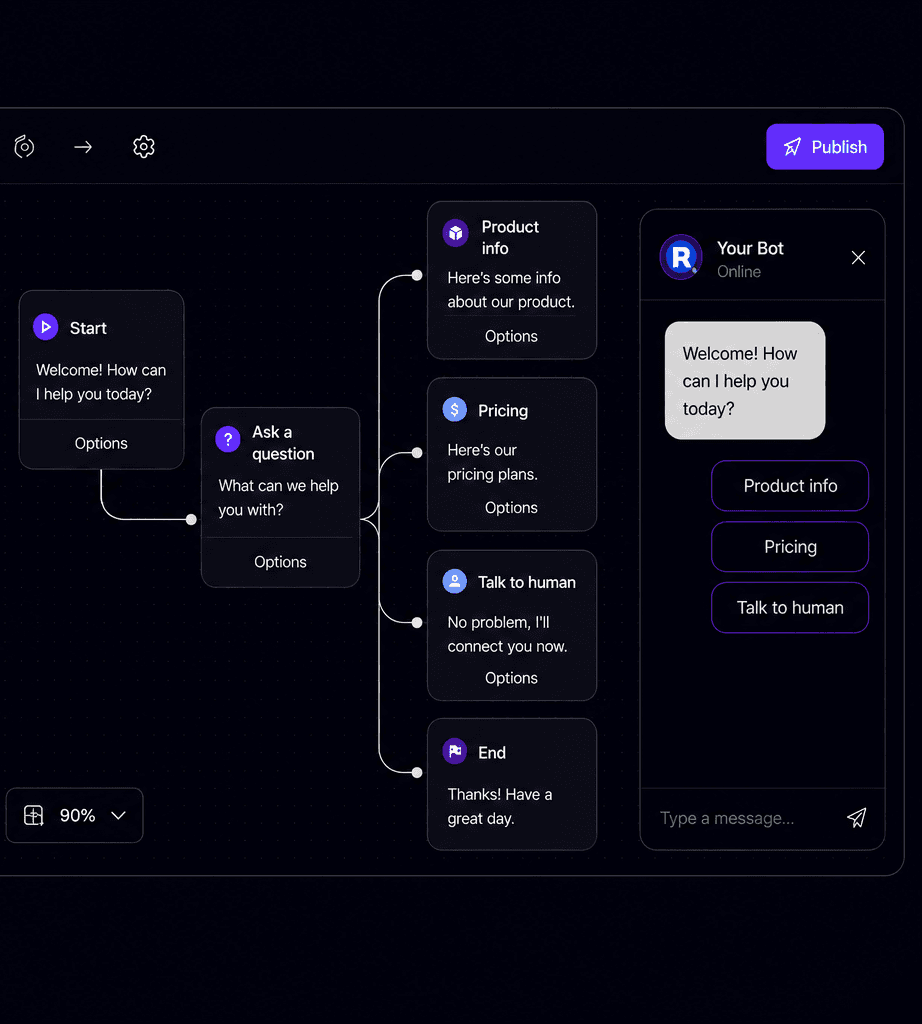
Flow Builder
Drag, connect, deploy.
A visual canvas where you map out conversations as connected nodes. Each node is a message — text, buttons, image templates, or carousels. Quick replies branch the conversation so users always have a clear path forward.
- Text, button, template, and carousel nodes
- Quick replies that branch into different paths
- Drag-and-drop canvas with snap-to-grid
- Phone simulator to preview before deploying
- Start from templates or build from scratch
02
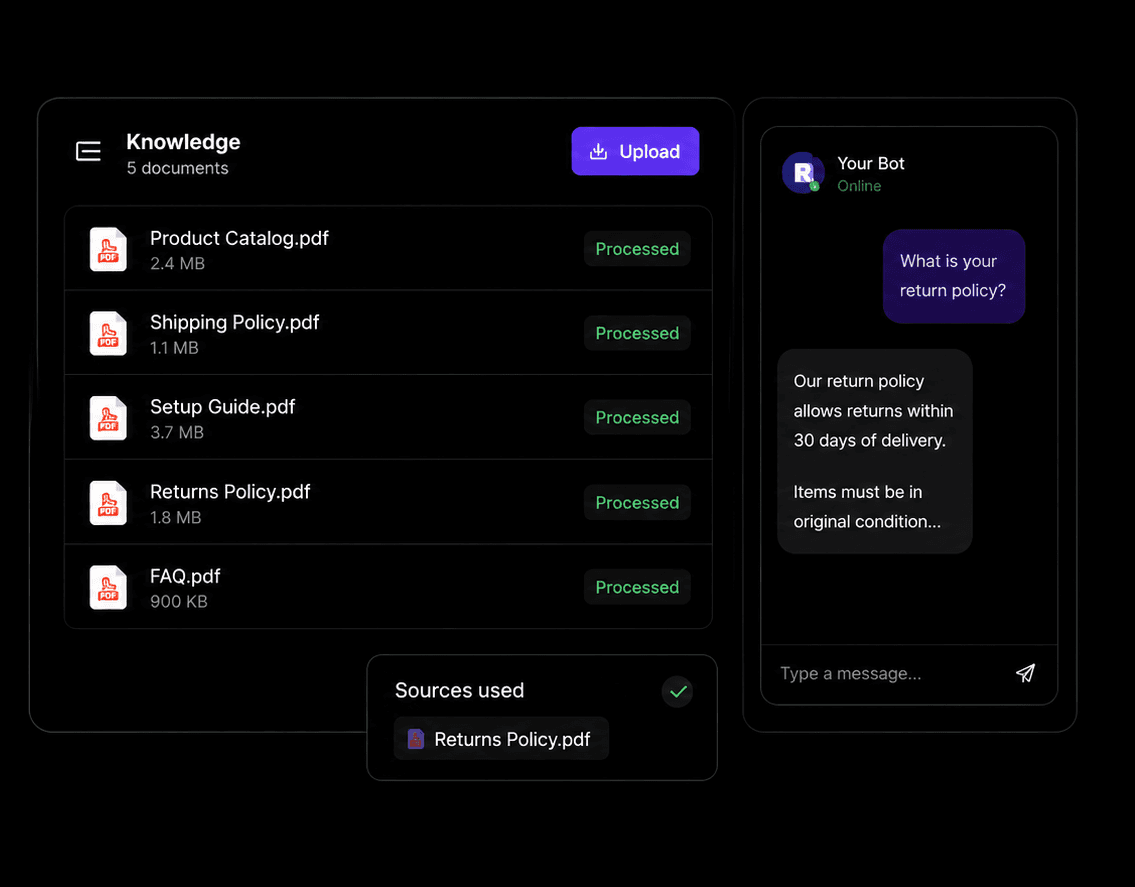
Knowledge Builder
Upload docs. The bot answers from them.
Drop in your docs and the system extracts the knowledge. When customers ask questions, the AI responds using only your documents. You control what it knows and how it behaves.
- Drag-and-drop PDF upload with auto-extraction
- Answers grounded in your documents only
- Custom AI instructions and business context
- Task definitions for what the bot can do
- Image triggers — send images on keyword match
- Contact info, agent identity, and behavior rules
03
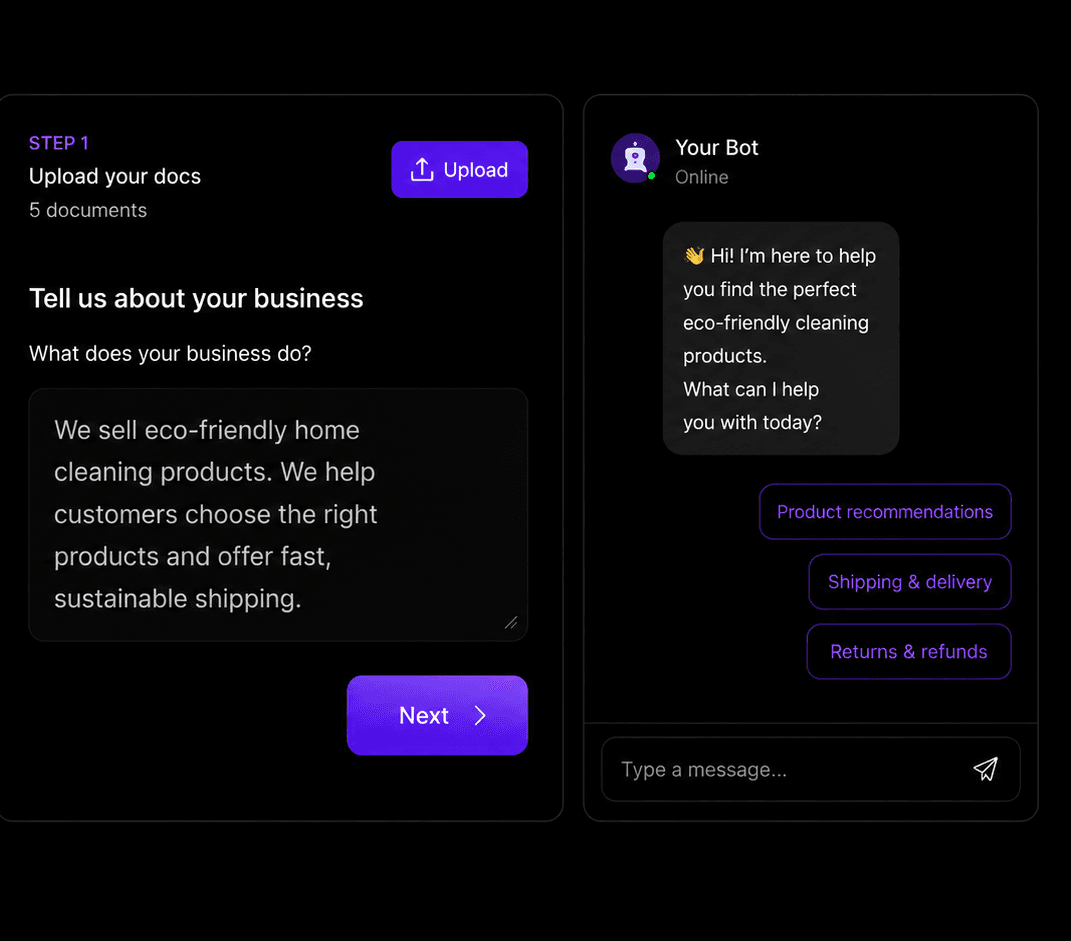
AI Chat Builder
Describe your business. Get a chatbot.
Answer a few questions and Spacesheep builds a working AI-powered chatbot from your answers. No forms. No configuration screens.
- Contact info auto-parsed from your answers
- Set the bot's tone and boundaries
- Acts as "human" mode with custom name and title
- Config preview updates as you type
Plans that scale with you
Start free and upgrade when you're ready to go live.
Start Free
No credit card
Upgrade Anytime
Scale as you grow
Cancel Anytime
No lock-in contracts